AI Study Assistant
Your AI Study Assistant
One source becomes structured notes, a summary, flashcards, and a quiz — plus an AI tutor that answers questions about the material on the side.
Supports PDF, Audio, YouTube, Notes
Why ThetaWave as Your AI Study Assistant?
One workspace that handles every step of studying — from raw material to active recall.
Any Source In, Study-Ready Output
Upload PDFs, lecture recordings, YouTube videos, slides, images, or paste text — Thetawave restructures any source into a clean study session.
Six Study Outputs from One Source
Notes, mind map, infographic, quiz, flashcards, and a podcast episode — all generated from the same upload, no re-prompting.
Built-in AI Tutor
Ask follow-up questions side-by-side with your material — summarize, explain a concept, or build a study plan without leaving the note.
Tell It Why You're Studying
Set a goal when you upload — exam prep, quiz review, homework, or understanding today's class — and generation is tuned to that goal.
Study Across 11 Languages
Generate every output in 11 languages or let Theta follow the source language automatically — built for studying across languages.
Organized Like Your Semester
Notes attach to courses and folders, sync to the mobile app, and stay searchable — one library instead of scattered files.
How the AI Study Assistant Works
Upload once, study five ways — plus a tutor that follows along.
Drop in any source
Upload a PDF, a lecture recording, a YouTube link, or paste raw text. The assistant indexes it as one study session.
Switch between five study modes
Move between Original, AI Notes, Summary, Flashcards, and Quizzes with one click — each generated from the same underlying material.
Ask the AI tutor anything
Use the side-panel tutor to ask follow-up questions, get worked examples, or explore the topic deeper — without leaving your study session.
Ask the source first. Then open the exact study format you need.
ThetaWave keeps chat, notes, mind maps, quizzes, flashcards, and podcasts tied to the same uploaded material — so every answer has context.
Who Uses AI Study Assistant?
See how different students use this tool to study smarter.
 AI Study Assistant
Daily Study Sessions
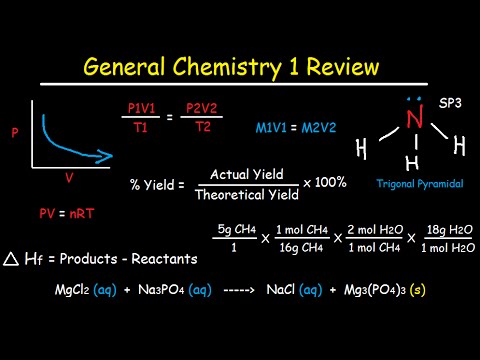
Use one assistant across courses to keep a consistent daily study routine instead of switching apps.
 AI Study Assistant
For International Students
Generate notes in your native language while keeping technical terms intact — useful for international students adapting to English-language courses.
 AI Study Assistant
For Students with ADHD
Keep all study material, questions, and tutor answers in one place — fewer context switches help students with ADHD stay on task.
What Students Are Saying
“Having notes, flashcards, and a tutor in one place changed how I prep for finals. I stopped tab-hopping and actually studied.”
“The tutor sitting next to the notes is the part I keep coming back to. I can ask why a formula works without leaving the chapter.”
“I switch between English notes and Hindi explanations on the same source — that's something no other study tool does for me.”
Frequently Asked Questions
Everything you need to know about ai study assistant.
What does an AI study assistant actually do?
How is this different from just asking ChatGPT?
Is the AI study assistant free?
Which subjects does it work for?
Can I keep using my notes after a session?
Start Studying Smarter Today
Join 300,000+ students using Thetawave's AI study assistant to turn any source into notes, flashcards, quizzes, and a personal tutor.