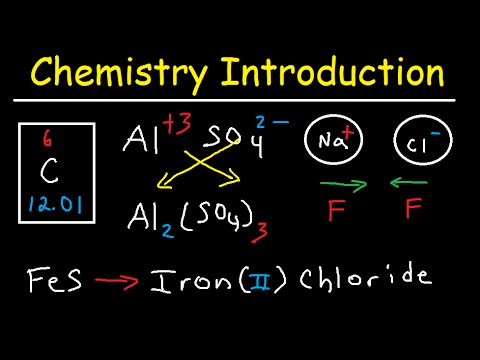
AI Notes for Online Learners

5 platforms, 5 formats, zero unified system. ThetaWave builds one searchable library from every video source you use.

Trusted by 300,000+ students · worldwide

Source · YouTube · MIT OCWNotes
OriginalInput
YouTube · MIT OpenCourseWare

6.006 Intro to Algorithms — Lec 1

MIT OCW · Prof. Erik Demaine · 47:23

47:23
1. Algorithmic Thinking, Peak Finding
MIT OpenCourseWare · 1.2M views

Auto-captions: 8,420 words · 3 examples · 1 proof

NotesAI Output
AI · Timestamped Notes

Peak Finding — Lec 1 Notes

ThetaWave AI note workspaceAI-generated note
Share note
AI-generated note

Peak Finding — Lec 1 Notes

Source: 6.006 Intro to Algorithms — Lec 1 · MIT OCW

Chapter notes

MIT OCW
02:14What is an algorithm?
08:301-D peak finding · brute force = Θ(n)
18:05Divide & conquer approach
27:40Master theorem ⇒ Θ(log n)
36:122-D peak finding · why naive fails

Active recall

MIT OCW
  • 1: Brute-force 1-D peak finding complexity? Answer: Θ(n).
  • 2: Why does divide & conquer give Θ(log n) here?

Saved to

MIT OCW

MIT 6.006 · Algorithms — 4 of 24 lectures captured.
How It Works

Three steps. That's it.

  1. 01

    Add Sources from Any Platform

    Use the YouTube video to notes workflow for public links, upload Zoom recordings, drop Coursera downloads, or add edX MP4s — all into one workspace.

  2. 02

    Unified Searchable Library

    Every video becomes structured notes. Search across all your courses by keyword — no more scrubbing through footage.

  3. 03

    Cross-Course Connections

    Spot where your statistics course overlaps with your research methods class. ThetaWave links concepts across sources.

Sound Familiar?

5 platforms, 5 formats, zero unified system

Your Coursera specialization is on one site, Khan Academy on another, Zoom recordings in a folder, and YouTube videos in a playlist. Searching for one concept means checking everywhere.

You finished the course but can't find what you learned

You completed 8 modules across 3 platforms — but when you need a specific concept for a project, you can't remember which video covered it. AI-structured notes make everything searchable.

Re-watching is the only way to review

Online courses don't come with notes. Your only review option is re-watching a 45-minute video for the 3 key points you need.

Why ThetaWave Helps

YouTube to Notes

any video, structured notes

Drop a YouTube, Khan Academy, or MIT OCW URL and get timestamped, structured notes with YouTube to Notes. Works with any public video.

Lecture to Notes

Zoom, Teams, and MP4 files

Upload Zoom recordings, Teams meetings, or downloaded MP4s — get searchable notes indexed alongside your YouTube content.

Notes Generator

cross-platform knowledge base

Merge notes from 3 Coursera courses, 12 YouTube tutorials, and 5 Zoom lectures into one searchable library. Find any concept instantly.

Why For Online Learners fits ThetaWave better

In this kind of workflow, the real win is not getting a quick answer. It is turning lectures, PDFs, meetings, and readings into material you can keep using later.

FeatureThetaWaveChatGPT
Workflow inputYouTube, Zoom, MOOCs, and downloaded slides in one flowUsually one link or one text block at a time
Structured outputModule summaries, live-session recaps, cross-platform notes, and checkpointsOutputs stay fragmented across platforms
What you can keep doing afterSupports cumulative review and cross-course searchHarder to turn into a long-term learning library
Source groundingBased on the actual course videos and filesMore likely to become a generic summary
Fit for this workflow

How For Online Learners usually get organized

Works with YouTube, Coursera, edX, Zoom, and MP4 files

Average 40 minutes saved per lecture vs. re-watching

6+

platforms unified into one searchable library

"I'm taking 3 Coursera specializations and supplementing with YouTube. ThetaWave gives me one searchable library for everything — I never re-watch a video anymore."

Alex M., Self-learner

Frequently Asked Questions

Everything you need to know about for online learners.

Which online learning platforms does Thetawave work with?

YouTube, Coursera, edX, Udemy, Zoom, Microsoft Teams, and any MP4 or audio file you can upload. All content is indexed into one unified, searchable library via Notes Generator — no matter the original platform.

Can I search across notes from different online platforms?

Yes — once converted to notes, all content is indexed together. Search any concept and find mentions across Coursera, YouTube, Zoom, and all other sources in one unified search experience.

Does YouTube to Notes include video timestamps?

Yes — YouTube video notes include timestamps linked to specific moments in the original video. Click any timestamp to jump directly to that section if you need the original context or visual explanation.

How much time does Thetawave save per online lecture?

On average, 40 minutes per lecture compared to re-watching the full video. Students report eliminating video re-watching entirely — searchable notes replace the need to find specific segments manually.

Can I organize notes from multiple online courses into one library?

Yes — Thetawave indexes all your notes regardless of source. Merge notes from 3 Coursera specializations, 12 YouTube tutorials, and 5 Zoom recordings into one searchable, cross-referenced knowledge base — perfect for daily study routines. And when no class schedule keeps you accountable, a focus room gives online study the pressure of a shared desk.

One Library for All Your Online Courses

Unify Coursera, YouTube, Zoom, and edX into a searchable knowledge base. Stop re-watching — start reviewing with structured notes.

Free to StartNo Credit Card RequiredResults in Under 2 Minutes
    Online Course AI Notes: Video Lessons to Review | ThetaWave